

Qtyra Quantity Rules & Tiered Pricing
Min / max / step quantity rules and tiered pricing for WooCommerce — enforced on every add-to-cart path, with guidance shoppers actually understand.
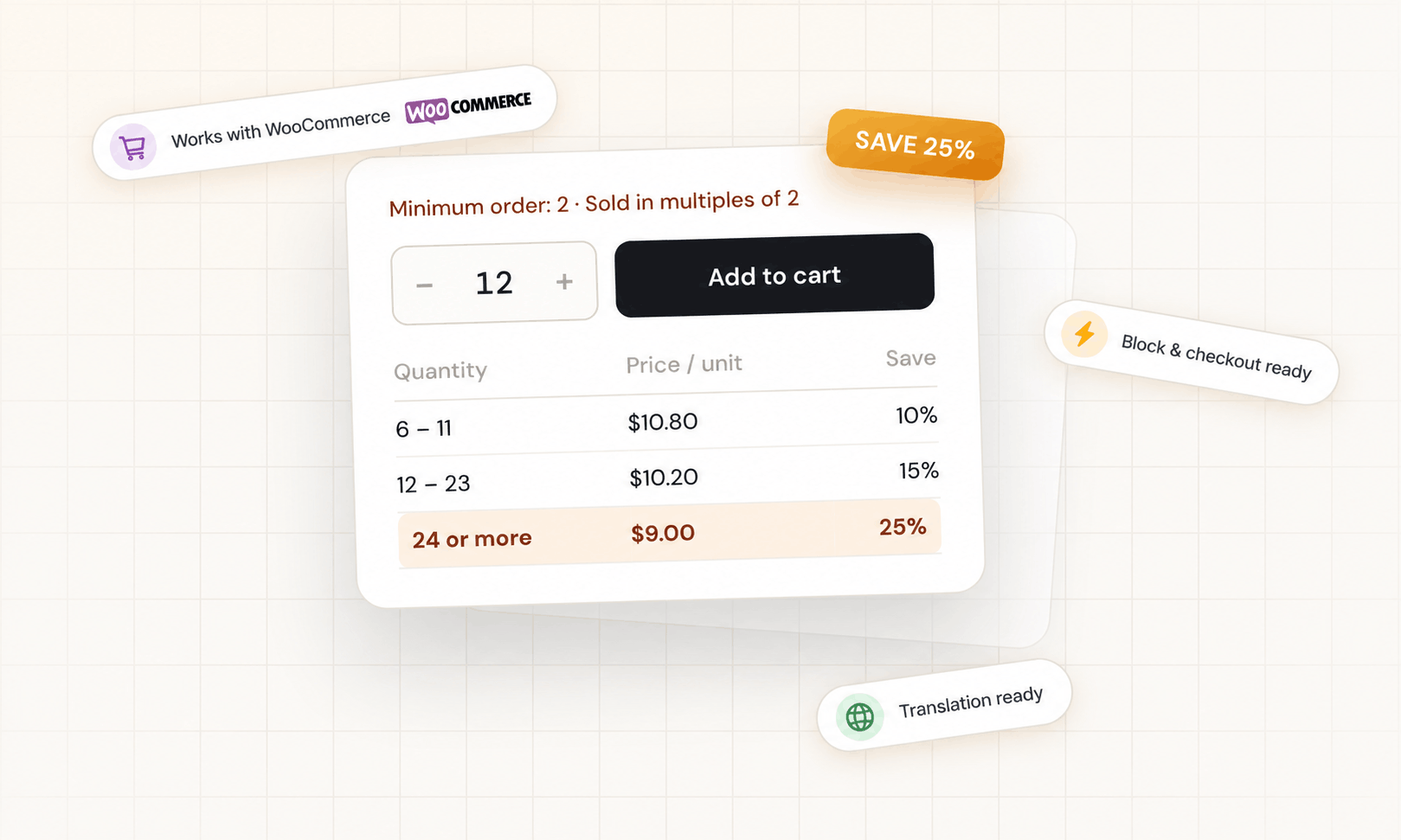
Rules that hold everywhere — not just on the product page
Free vs. Pro
| Feature | Free | Pro |
|---|---|---|
| Minimum / maximum / step / default quantity | ||
| Store-wide, per product and per variation rules | ||
| Enforced in shop grid, carousels, block cart & checkout, Store API | ||
| Inline customer guidance + editable messages | ||
| +/- quantity stepper that respects the step | ||
| Tiered (quantity-based) pricing per product / variation with price table | ||
| Category-wide and store-wide default tier tables | ||
| Fixed / dropdown quantities (12, 24, 48…) | ||
| Role-based rules (retail vs wholesale, guests) | ||
| Category-level rules with priority / most-restrictive modes | ||
| Cart-level minimum / maximum (items or subtotal) | ||
| Decimal quantities with unit label (kg, m) | ||
| Bulk editor + CSV import / export | ||
| Updates & support |
Simple, per-site pricing
Qtyra applies your minimum, maximum, step and default quantities on every path a product can be added to the cart — the single product page, the shop grid, product carousels, the block “Add to Cart” button, the block cart and checkout, and the Store API — and shows shoppers a clear inline message before they reach checkout. Quantity-based price breaks with a clean price table are included in the free version.
It hooks into standard WooCommerce filters with correct priorities, so your theme and other plugins keep working. HPOS, the Cart & Checkout Blocks and the Product Block Editor are all supported.
Questions
Does the free version really enforce rules in the block cart?
Yes. Rules are wired into the WooCommerce Store API, so the block cart, block checkout and the block "Add to cart" button get the same minimum, maximum and step as the classic templates. Server-side validation is always on — the rule holds even if someone bypasses the JavaScript.
What happens when a product is in two categories with different rules?
Pro lets you choose per store: the category with the higher priority wins, or the most restrictive value wins per field. Product and variation rules always override category rules.
Can I show different minimums to wholesale customers?
Yes (Pro). Role-based rules apply per WordPress role — including guests — store-wide or per product. A wholesale role can get "minimum 24, sold in multiples of 12" while retail keeps "minimum 1".
Does tiered pricing work with sales and other pricing plugins?
Tiered pricing can be calculated from the current price (respecting sales and other plugins) or from the regular price — your choice in the settings.
How do I move from Free to Pro?
Buy Pro, download the Pro build from your purchase email or Freemius account, and upload it under Plugins → Add New. The free version is deactivated automatically and every rule and setting carries over. Enter your licence key on the screen that appears.
How many sites can I use a licence on?
1, 3, 5 or 10 depending on the tier. Deactivate the licence on a site you no longer use (WooCommerce → Quantity & Pricing → Manage licence) to free the seat.
Does it slow down my store?
No. One small script loads only on shop, product, cart and checkout pages; everything else runs server-side with per-request caching.
What if I cancel?
Your store keeps working with the Free features; Pro rules stay saved and switch back on if you renew.
Changelog
Stop invalid quantities before they reach checkout
Install the free version in two minutes. Upgrade to Pro when you need category-wide tiers or wholesale rules.
Download free on WordPress.org