

Pricing & profit
Tiered Pricing Calculator
Build quantity-break price tiers that never fall below your minimum margin. CSV export.
Open tool
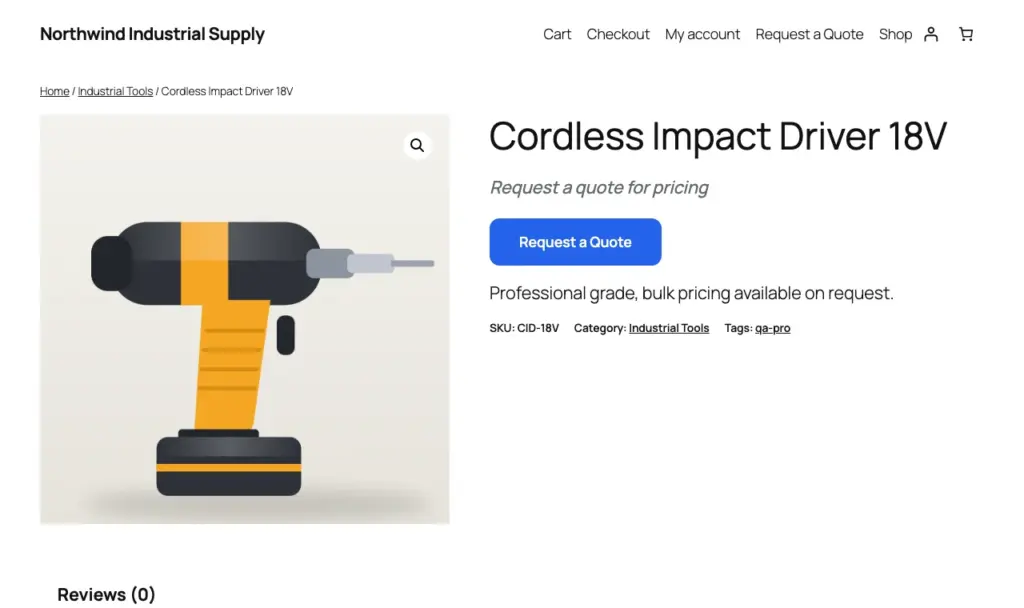
Hide the price, keep the sale. Customers ask for a quote, you answer with a price and a payment link.
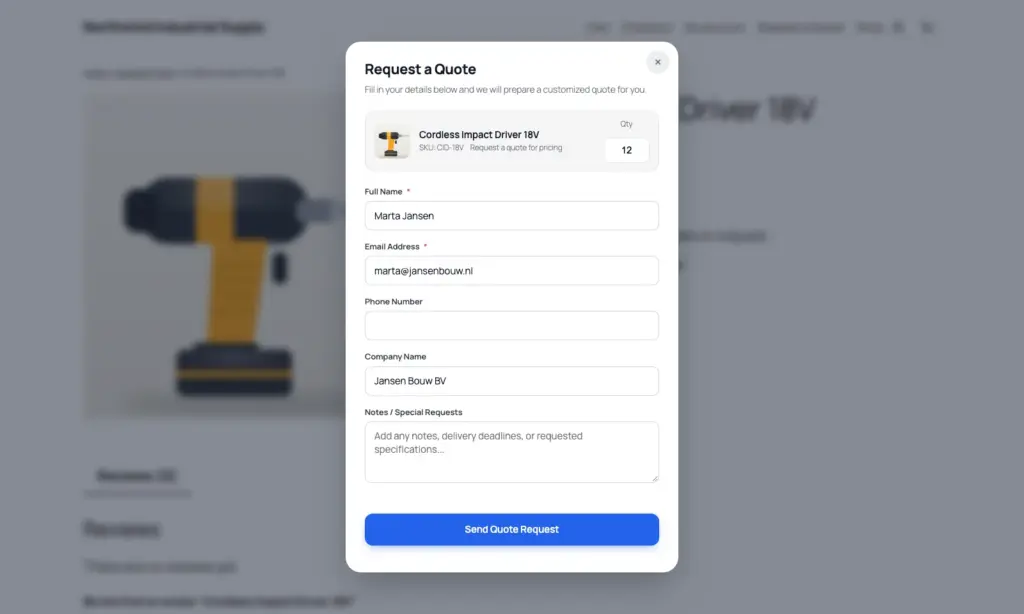
Not only on the product page. The price is also removed from the block cart and checkout, from the WooCommerce Store API and from the structured data Google reads, so nobody can dig it out with a direct request.
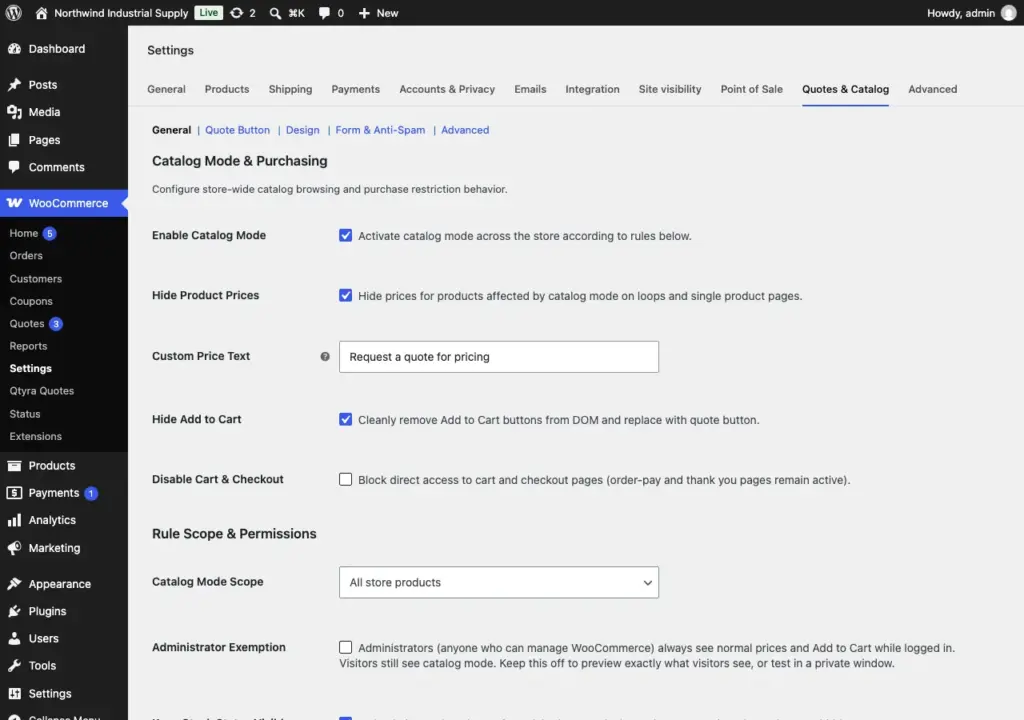
Apply catalog mode to the whole store, or only to chosen categories, tags and products. Give guests, customers and custom roles their own rules, and exclude the products you still want to sell the normal way.
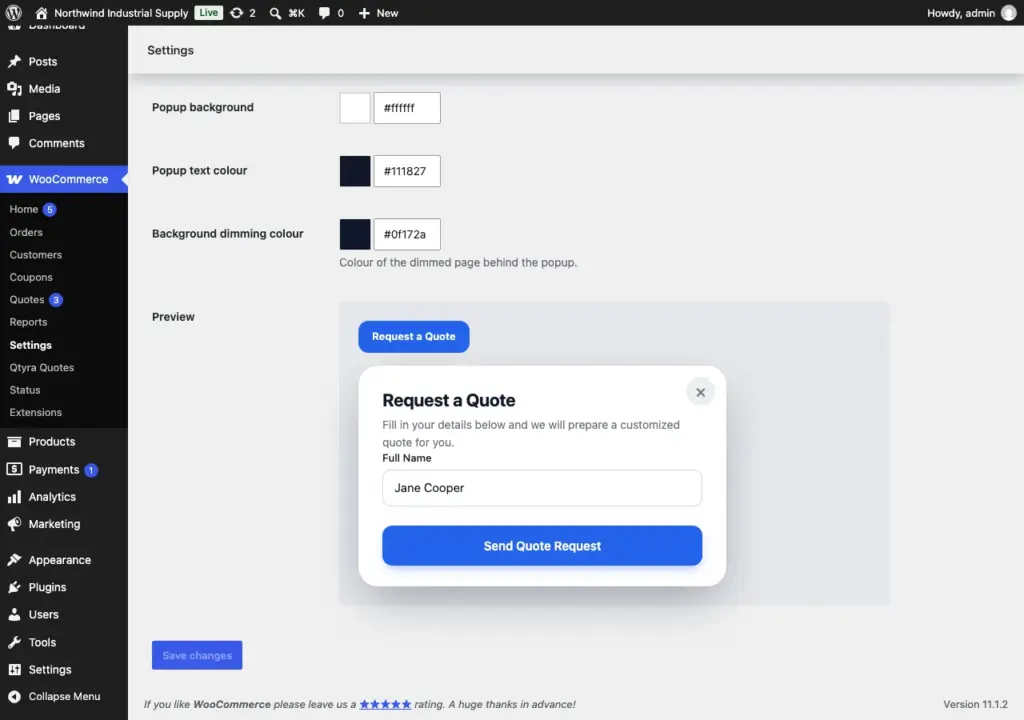
A Request a Quote button on product pages and shop loops, and a popup that keeps its look in Twenty Twenty-Five, Storefront, Astra, GeneratePress, Blocksy, Neve and Hello Elementor. Choose your own colours and corners and watch a live preview while you tweak them.
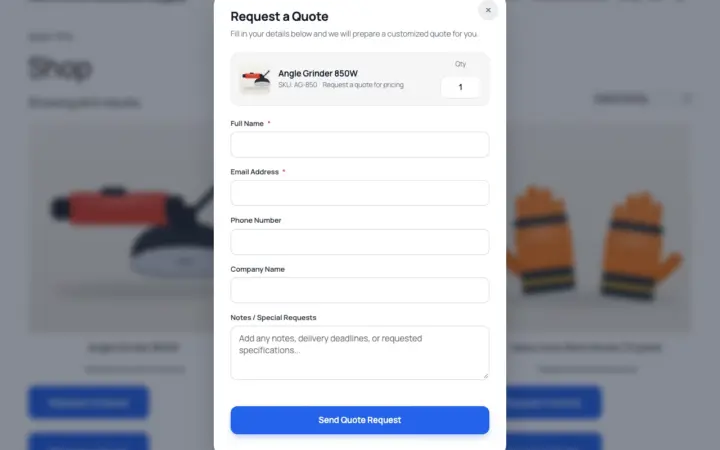
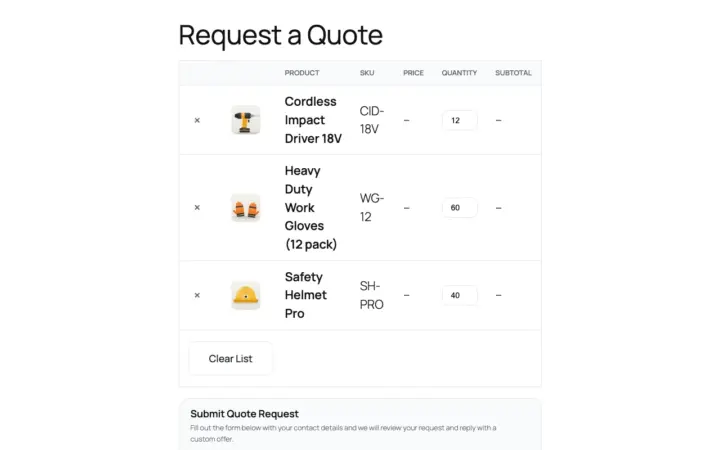
Customers add several products with quantities to a single list and send one request. Variable products work properly: the button waits until the customer has chosen their options.
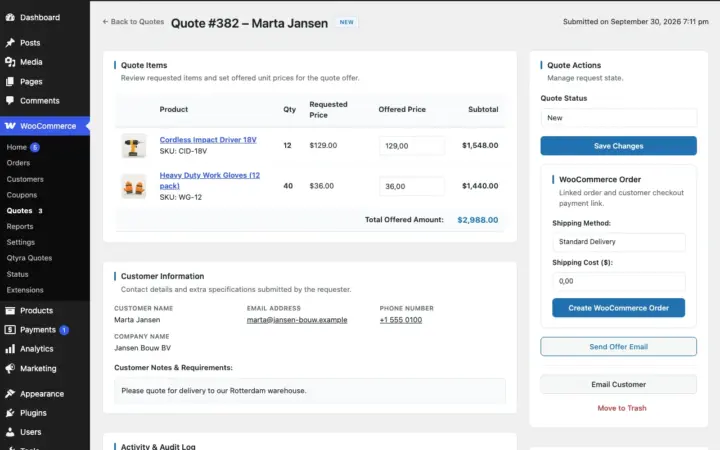
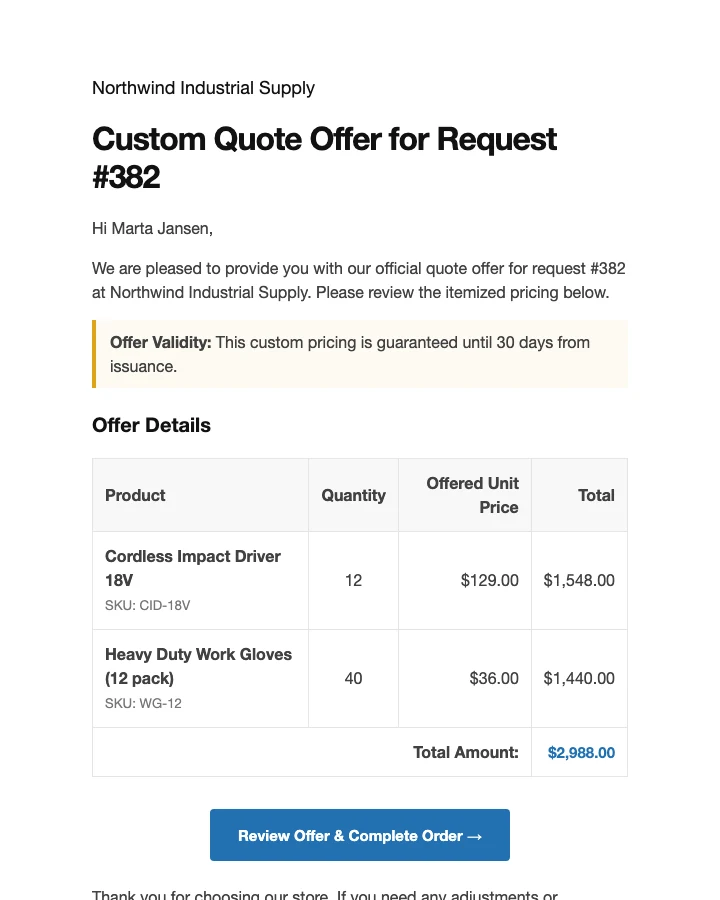
Open the request, type the agreed prices and shipping, and create a WooCommerce order. The customer gets an email with a secure payment link. No cart, and no copying between emails and invoices.
The free plugin is complete, not a trial. When quoting becomes a daily job, Pro adds negotiation threads, offer expiry with reminders, PDF quotes, approved price lists and team tools.
| Feature | Free | Pro |
|---|---|---|
| Hide prices or replace them with your text | ||
| Request a Quote button, popup and multi-product list | ||
| Scope by category, tag, product and user role | ||
| Quote to WooCommerce order with a payment link | ||
| Built-in form with honeypot, rate limiting and Turnstile | ||
| Popup colours, corners and button style | ||
| CSV export and dashboard widget | ||
| Negotiation thread with counter-offers | ||
| Offer expiry, reminders and follow-up sequence | ||
| Auto-offers with rule-based discounts | ||
| Rules matrix (role, category, tag, price range, country, dates) | ||
| Approved price lists from accepted quotes | ||
| PDF quotes with your logo | ||
| Case-pack quantities, CSV price import, analytics | ||
| Sales rep assignment and staff restrictions | ||
| Webhooks, Slack and Telegram alerts, REST API, WP-CLI |
Annual licence per site. Updates and support included; the free version keeps working if you do not renew.
Forever, on WordPress.org
Catalog mode, the quote popup and list, the request inbox and quote to order with payment links. Everything a small shop needs to start quoting.
Single site
Negotiation threads, offer expiry and reminders, auto-offers, PDF quotes, approved price lists and team tools. Updates and priority support for a year.
Up to 3 sites
The same Pro features on three stores. A good fit for agencies with a couple of clients.
Up to 10 sites
The same Pro features on ten stores. A 5 site plan for $59.99 a year is available at checkout.
Some products should not show a price. Wholesale lines, custom jobs, anything you quote by hand. Qtyra Quote Requests hides the price and the Add to Cart button, puts a Request a Quote button in their place and gives you a tidy inbox for every request.
When you and the customer agree on a number, one click turns the request into a WooCommerce order and emails them a link to pay. The rules hold on classic pages, the block cart, the block checkout and the Store API, so nobody can reach a hidden product with a direct request.
Setup, every setting and troubleshooting — written for store owners.
Catalog Mode starts switched off, so nothing changes until you turn it on under WooCommerce > Settings > Quotes & Catalog. If you also enabled the administrator exemption, you see normal prices while logged in, so check your shop logged out or in a private window. The admin bar shows a small Qtyra note that tells you why a product looks the way it does.
Yes. The rules are checked on the server, including the WooCommerce Store API, so a hidden product cannot be added to the cart by a direct request.
No. The request form is built in, with a hidden honeypot field, rate limiting and optional Cloudflare Turnstile.
You enter the agreed prices and shipping on the quote and create the order. WooCommerce makes a pending order, and the customer gets an email with a secure link to the normal payment page. The cart is not involved, so your custom prices and shipping stay exactly as you set them.
No. When catalog mode hides a price, it is also removed from the schema.org data on the page and from public Store API responses.
We test it on Twenty Twenty-Five, Twenty Twenty-Four, Storefront, Astra, GeneratePress, Blocksy, Neve and Hello Elementor, on shop pages, categories, search, shortcodes and blocks. An expired cached nonce is refreshed automatically. If your theme loads products with AJAX, for example quick view or infinite scroll, turn on "Load Scripts on Every Page" in the settings.
Yes. If that plugin is active, the quote list follows its minimum, maximum and step rules and shows its tier prices next to each product. Without it, nothing extra is loaded.
Pro features pause until you renew. Your quotes, your settings and everything in the free plugin keep working, and nothing is deleted.
Yes. Every purchase has a 14 day money-back guarantee through Freemius, our reseller.

Build your own ManyChat-style bot for $0 in software: when someone comments a keyword, n8n replies, checks if they follow you and…
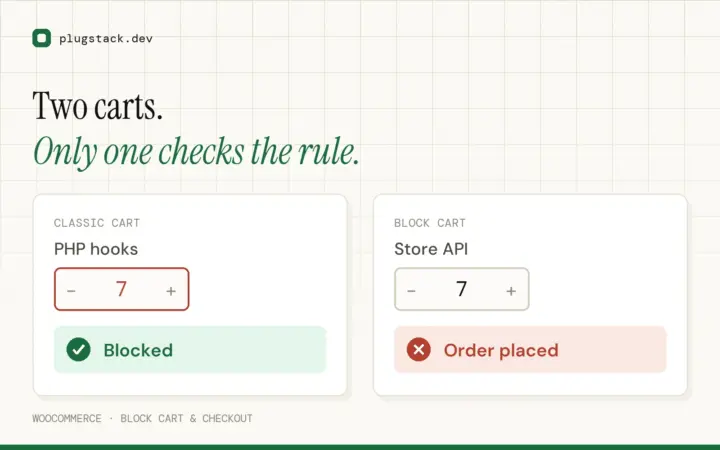
The WooCommerce block cart and checkout validate through the Store API, not the classic hooks. Plugins that never updated still "work" —…
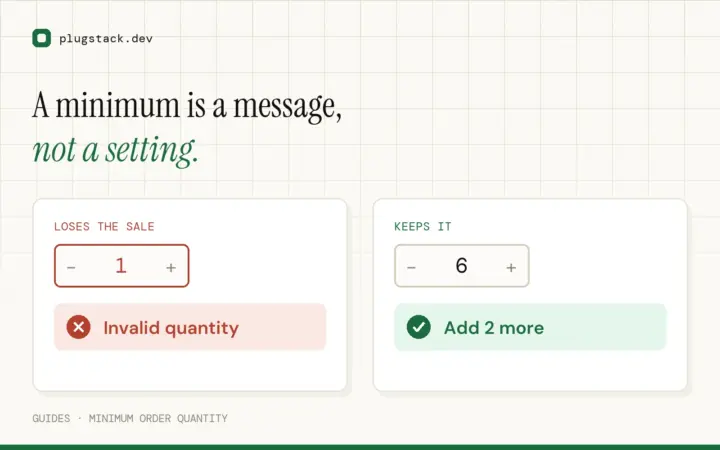
A minimum order rule only works if the shopper knows what to do when they hit it. A short guide to messaging,…
Install the free version in two minutes. Upgrade to Pro when quoting becomes a daily job.