


Insights from Google PageSpeed
Check every page of your WordPress site with Google PageSpeed Insights, from wp-admin, and keep the score history.
Created by Matt Keys. PlugStack has maintained it since October 2026 with his support, and the author credit stays with him. Visit Matt Keys
- Version 5.0.0
- Tested up to WordPress 7.1.3
- PHP 7.2+
- 10,000+ active installs
- 4.8/5 from 28 reviews
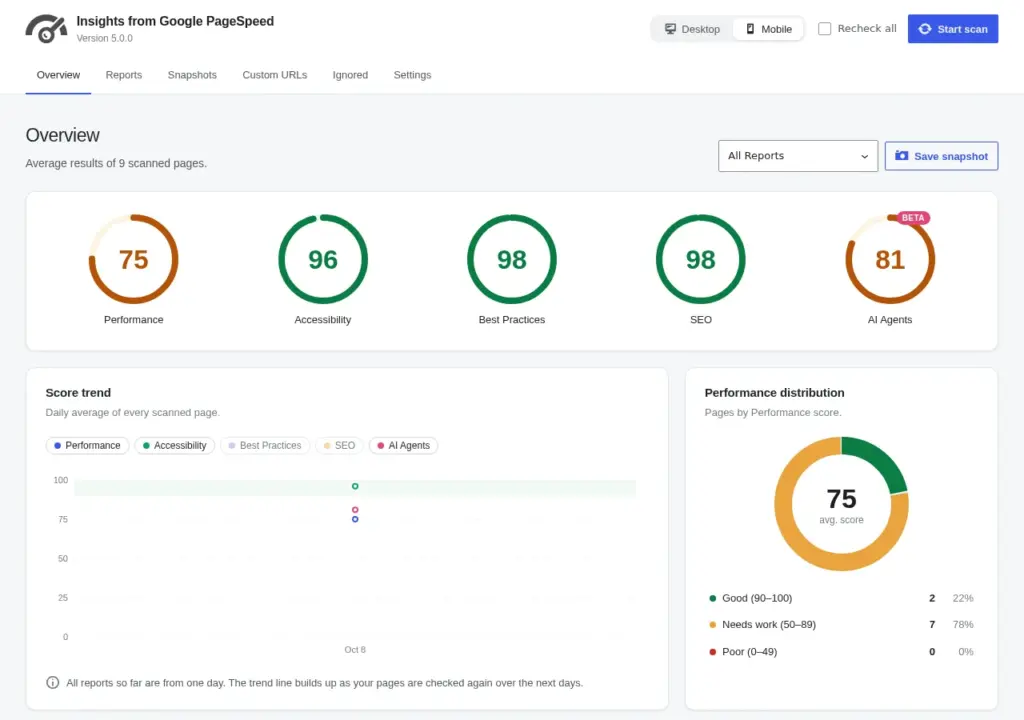
PageSpeed Insights checks one URL at a time, and the result is gone when you close the tab. On a site with a hundred pages, nobody notices the slow ones.
The plugin checks the whole site from wp-admin and keeps every report, so you can sort pages by what needs work and see how scores change over time.
What it does
-
Every page in one list
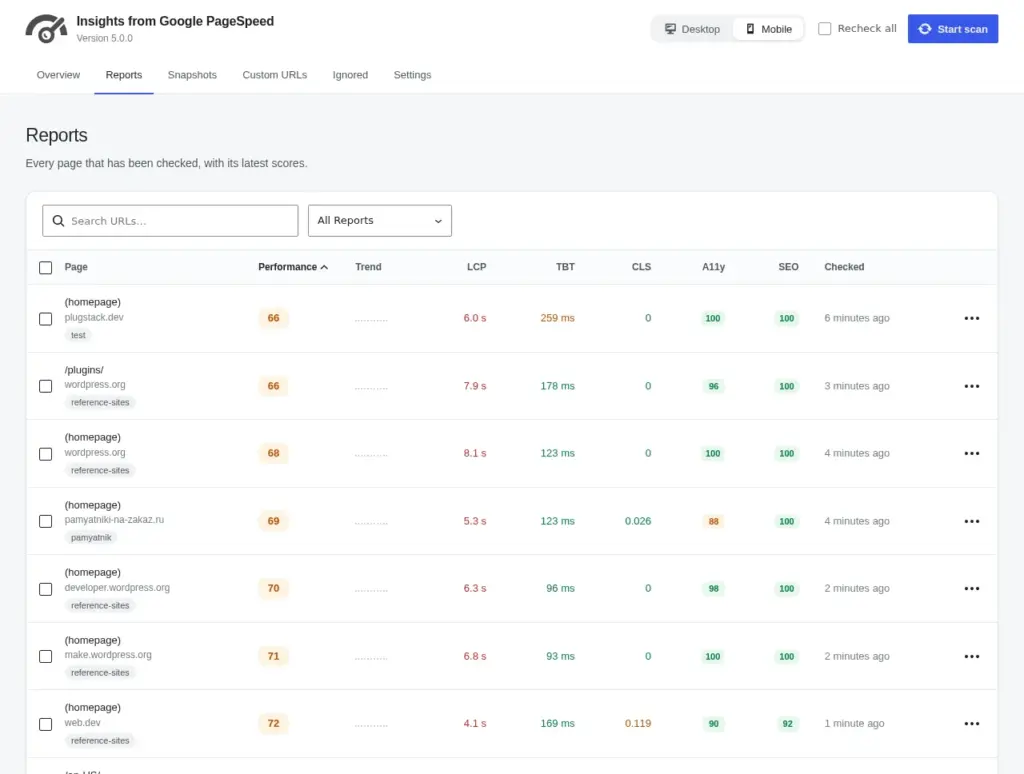
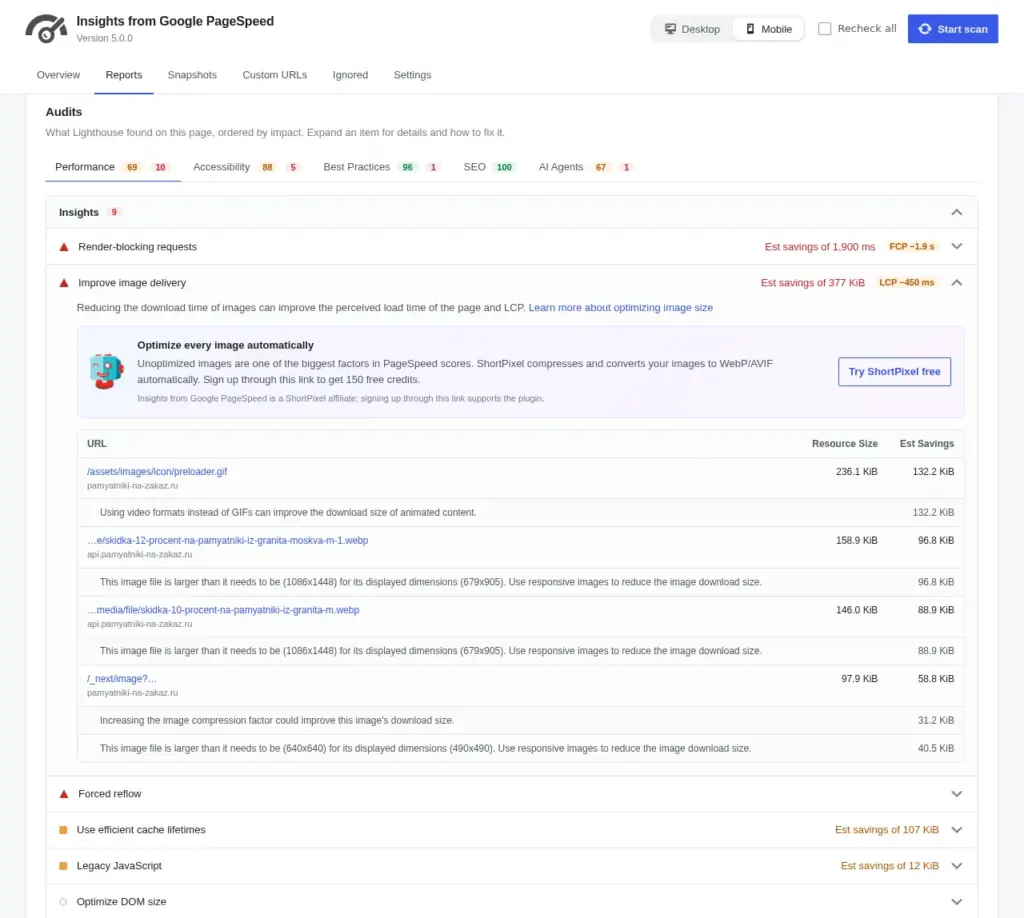
Scan pages, posts, archives and custom URLs. All scores sit in one table you can sort by the pages that need work first.
-
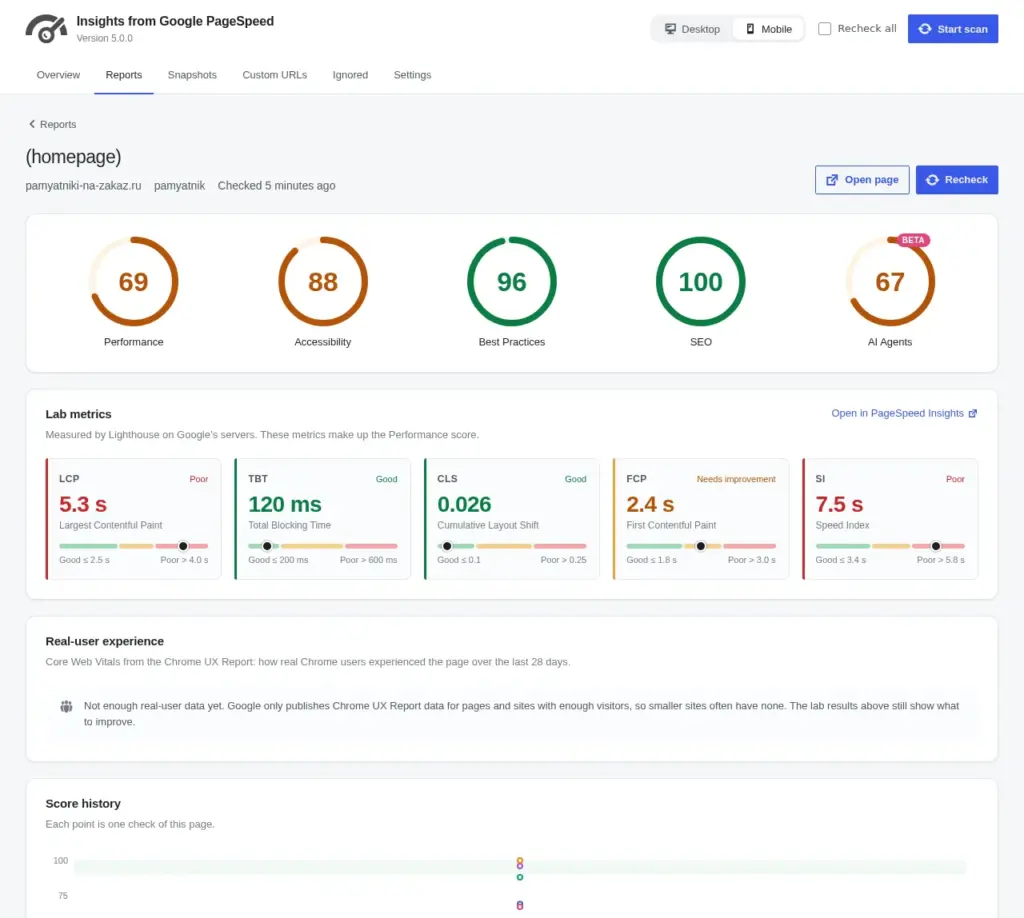
All five Lighthouse scores
Performance, Accessibility, Best Practices, SEO and AI Agents, the new Agentic Browsing category from Google.
-
Real-user Core Web Vitals
When Google has Chrome user data, you get LCP, CLS and INP for each page and for the whole site.
-
Score history
One point per day, so you can see which change made the site slower and when.
-
Desktop and mobile
Check one or both. One switch in the header changes every screen.
-
Runs in the background
Scans run on a schedule, skip pages with a fresh report and stop politely when the daily Google quota is used up.
See it in action
Documentation
Setup, every setting and troubleshooting, in plain words.
Questions
Is it free?
Yes. The plugin is free on WordPress.org. It needs a free Google API key, and the docs show how to get one in a few minutes.
Who makes it?
Matt Keys created the plugin and is still its author. PlugStack maintains it with his support: Matt reviewed the 5.0.0 release before it shipped.
Can it check a site on localhost or behind a login?
No. Google loads each page from its own servers, so the page has to be reachable from the internet.
Why does my score change between checks?
Lab scores move a few points from run to run, mostly because of how fast the server answers at that moment. Look at the trend over several days, or at the real-user data.
Where do I ask for help?
On the WordPress.org support forum. Questions there are answered by the maintainer.
Check the whole site, not one URL
Install the free plugin, add a Google API key and run your first scan.