

Custom URLs let you check pages that the plugin would not find on its own. That can be a landing page built with another tool, a page on a different site, or a competitor you want to keep an eye on. Any public URL works.
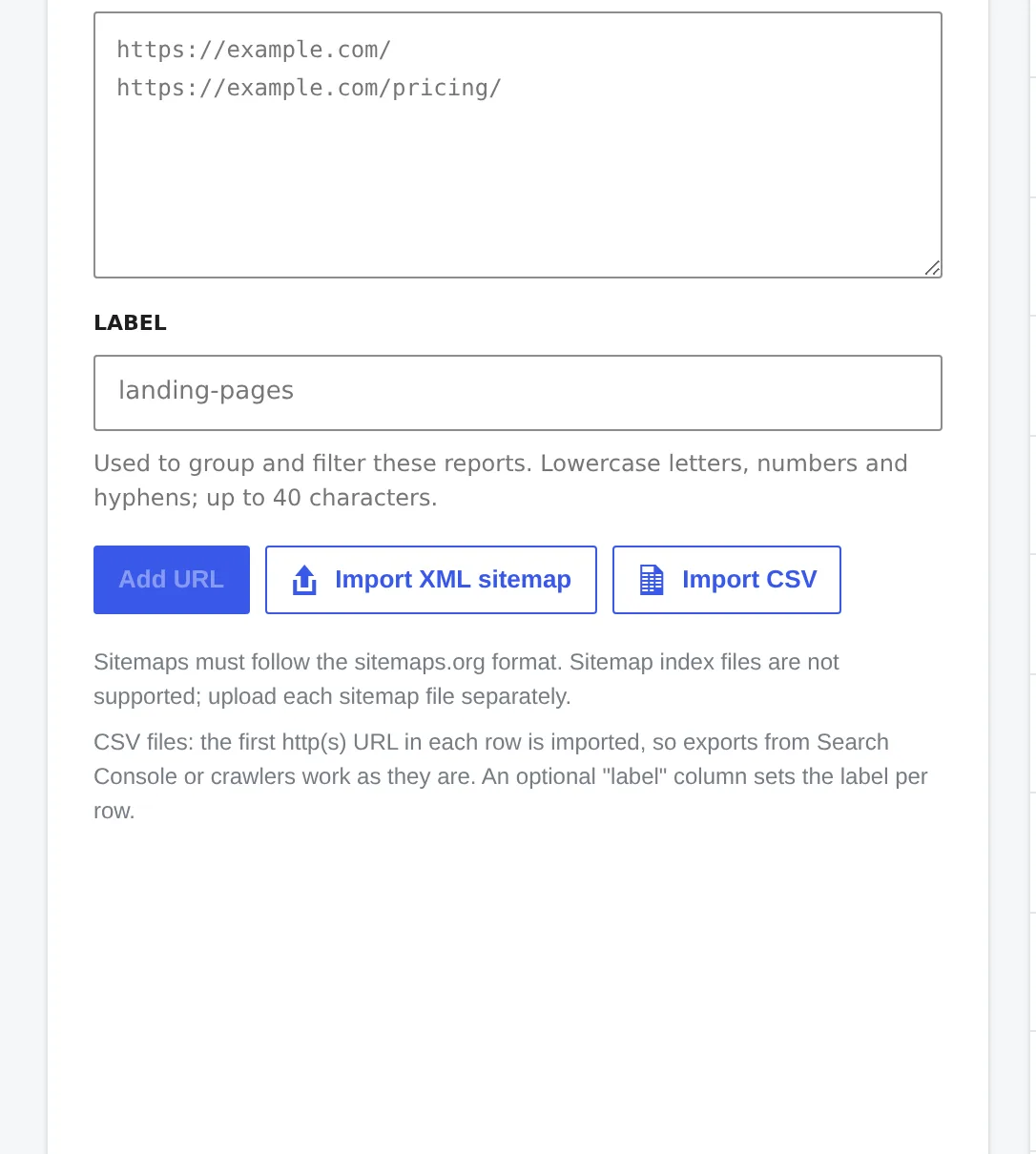
Add URLs by hand
Go to the Custom URLs tab.
Paste one URL per line.
Optionally add a label, like
landing-pagesorcompetitors.Click Add URL (or Add 3 URLs when you paste several). The new URLs are checked straight away.
Make sure Custom URLs is turned on under Settings → What to check, otherwise they are skipped in normal scans.
Import from a CSV file
Any CSV file works, including an export from Google Search Console or a crawler like Screaming Frog. The plugin takes the first URL it finds in each row and ignores the other columns. If the file has a column called label, each URL gets the label from that column.
You can import up to 5,000 URLs at a time, from a file of up to 2 MB.
Import an XML sitemap
Click Import XML sitemap and pick a sitemap file. It has to follow the sitemaps.org format. A sitemap index, the file that only lists other sitemaps, is not supported, so upload the sitemaps it points to one by one.
Labels
Labels group your custom URLs. Each label shows up in the filter on the Overview and Reports tabs, so you can see the average score of just your landing pages, or save a snapshot of them on their own.
Remove URLs
Select URLs in the Tracked URLs list and click Delete. Their reports are removed too.