Why WooCommerce min/max quantity rules don’t work on the shop page
You set a minimum order quantity on a product. You tested it on the product page, typed “1” into the quantity box, hit Add to cart, and got the error you expected. Then a customer added the same product straight from the shop page grid, checked out with a single unit, and you’re left wondering why WooCommerce minimum quantity not working shows up every time you search for this. By the end of this you’ll know exactly why the grid button skips your rule, how to reproduce it on your own store in two minutes, and what a fix actually has to cover.
The symptom
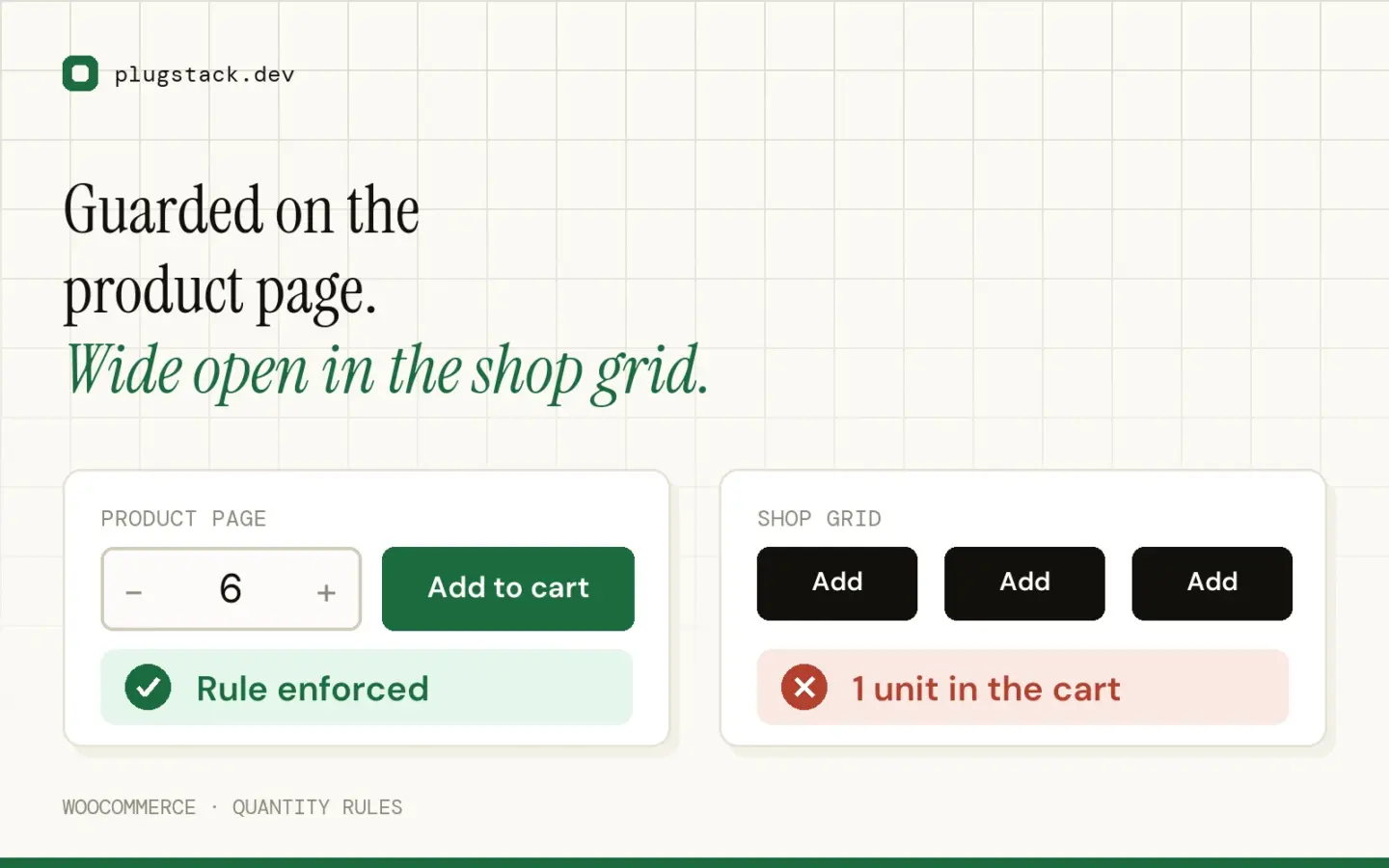
The pattern is always the same. Rules work on the single product page. They fail everywhere else, especially the Add to cart button on the shop and category archive pages.
Store owners usually blame the plugin first, and sometimes that’s fair. But more often the plugin is doing exactly what it was built to do it’s just not built to reach the code path the shop grid uses.
This isn’t a WooCommerce bug. It’s a gap in how most quantity plugins are wired.
The four paths a quantity takes to the cart
WooCommerce doesn’t have one way to add a product to the cart. It has four, and each one runs through different code:
- Single product form – the quantity input and Add to cart button on the product page itself, submitted as a normal form.
- Shop/category grid button – the Add to cart button on archive pages (shop, category, tag, search results), fired over AJAX with no visible quantity field.
- Cart page quantity field – the number box next to each line item, changed after the product is already in the cart.
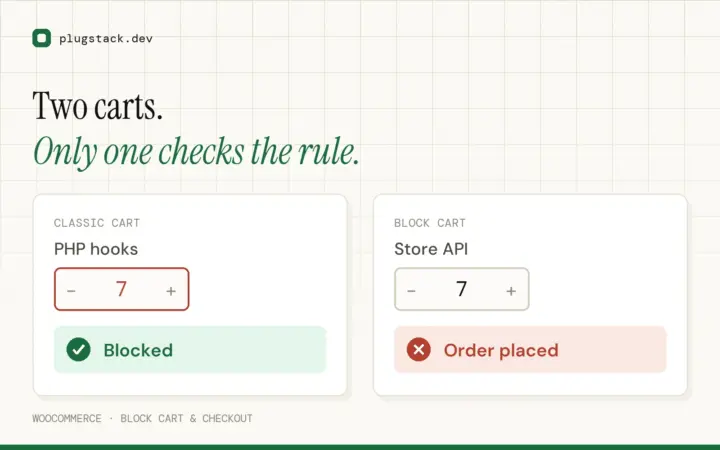
- Block Cart & Checkout – if you’re using the WooCommerce block-based Cart and Checkout, quantity changes and additions there go through the Store API, a REST endpoint, not the classic PHP handlers.
A plugin that only validates path one covers maybe a quarter of how customers actually add products. On a store doing any real volume, most repeat customers and mobile shoppers use the grid button far more than the single product page.
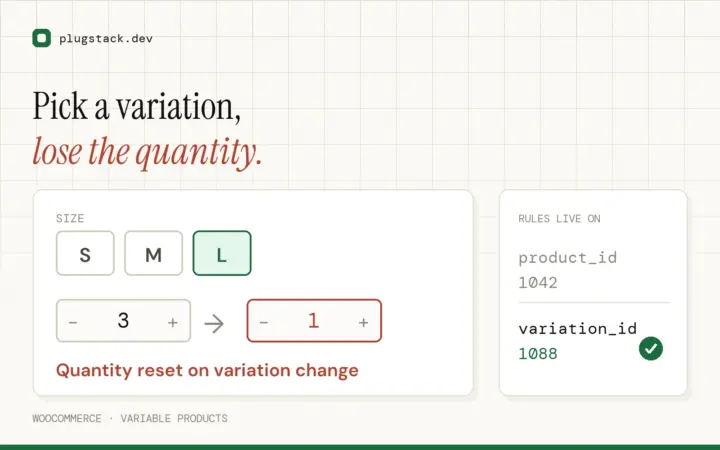
One narrowing point worth knowing: variable products are usually fine here, because WooCommerce can’t add a variation without the customer picking options first so the grid button for a variable product already links to the product page instead of adding directly. The woocommerce min max quantity shop page problem is almost always a simple-product problem.
Why plugins miss the grid button
Here’s the part most quantity-rules plugins get wrong, and it’s a subtle one.
The single product form is a full page load. When someone submits it, is_product() correctly returns true, because WordPress has run its main query and knows exactly which page this is.
The grid button is different. It doesn’t reload the page, it fires an AJAX request to admin-ajax.php, which loads a stripped-down WordPress environment without the front-end main query. Conditional tags like is_product(), is_shop(), and is_archive() are unreliable in that context, often just returning false regardless of where the click originated.
So when a developer writes their validation callback like this:
add_filter( 'woocommerce_add_to_cart_validation', function( $passed, $product_id, $quantity ) {
    if ( ! is_product() ) {
        return $passed; // skip validation off the single product page
    }
    // ... minimum quantity check here
    return $passed;
}, 10, 3 );
it works perfectly on the product page and does nothing at all for the AJAX request coming from the grid. The guard was probably added to avoid interfering with the cart or checkout pages a reasonable instinct, but it quietly disables the check on the one path where most of the woocommerce quantity rules shop grid traffic actually happens.
Add-on complexity: the woocommerce add to cart button quantity sent from the grid is hardcoded to 1 in the AJAX request. There’s no field for the customer to change it, so even a plugin that validates correctly there can only reject the add — it can’t offer a way to fix it without sending the customer somewhere else.
The cart page and Store API paths get missed for a different reason: they’re simply separate hooks that a plugin author has to remember to register against on top of the single-product one. I go into the Store API side specifically in the block cart and checkout gap, since it’s big enough to need its own write-up.
Reproduce it in two minutes
You don’t need to trust any of this check it on your own store.
Pick a simple, in-stock product and set a minimum quantity of 3 on it (whatever plugin you’re using).
Open the product page in an incognito window, confirm the minimum is enforced there.
In the same incognito window, go to the shop page or a category page that lists that product. Don’t visit the product page first.
Click Add to cart directly from the grid.
Open the cart. In most setups you’ll find one unit sitting there, no error, well under your configured minimum.
If step 5 surprises you, the rest of this article is for you.
A workaround: send grid clicks to the product page
The honest fix requires validating every path (next section). But if you need something today, you can stop the grid button from adding directly at all, for products that carry a minimum quantity, and send the customer to the product page instead where the full form and its validation live.
/**
 * Replace the shop/category "Add to cart" button with a link to the
 * product page for any product that has a minimum quantity above 1.
 *
 * Goes in your child theme's functions.php, or a small mu-plugin.
 * Adjust the meta key / condition below to match whatever
 * quantity-rules plugin you're using — this assumes a simple
 * postmeta flag as an example.
 */
add_filter( 'woocommerce_loop_add_to_cart_link', function( $html, $product, $args ) {

    $min_qty = (int) $product->get_meta( '_min_purchase_qty' );

    if ( $min_qty > 1 ) {
        $html = sprintf(
            '<a href="%s" class="button product_type_%s" rel="nofollow">%s</a>',
            esc_url( get_permalink( $product->get_id() ) ),
            esc_attr( $product->get_type() ),
            esc_html__( 'Select quantity', 'woocommerce' )
        );
    }

    return $html;

}, 10, 3 );
This is a workaround, not a fix, and it has real limits. It doesn’t touch the cart page quantity field or the block cart a customer can still type a low number into an existing cart line and update it without any check running. It relies on your theme actually using the standard woocommerce_loop_add_to_cart_link filter; some custom loop templates bypass it entirely. And it depends on the single product page’s own validation being correct, which brings you right back to needing that part done properly.
What a complete fix looks like
A rule that actually holds has to do two things on every one of the four paths, not just the first one.
Server-side validation with no page-type guard. Hook woocommerce_add_to_cart_validation without an is_product() check, so it runs the same way whether the request came from the single form or the AJAX grid button. For the cart page, hook into cart quantity updates (woocommerce_after_cart_item_quantity_update or a check during woocommerce_check_cart_items) so a manual edit gets caught before checkout, not after. For the block cart and checkout, you need separate Store API hooks again, that’s the part covered in the block cart and checkout gap.
A message the customer actually understands. “Invalid quantity” tells them nothing. “Minimum order for this product is 3 you currently have 1 in your cart” tells them what to do next. If you’re blocking the grid button specifically, say so in the button text or tooltip rather than letting them click into a silent failure.
This is the gap I built Qtyra to close — instead of filtering the single-product form and hoping the rest works itself out, it validates at the cart level, so the grid, the cart page, and page reloads all go through the same check. Different products can also carry different minimums per variation; that’s covered in product and variation rules if you need that level of control.
How to check your own store
Run through this on your live site, five minutes, no plugin required to start:
Single product page set a minimum, try to add below it, confirm you get a clear error.
Shop or category grid click Add to cart directly on a listing page for that same product, no product-page visit first. Check what lands in the cart.
Cart page add the product correctly, then edit the quantity field on the cart page down below the minimum and click Update cart. See if anything stops you.
Block cart/checkout, if you use it repeat steps 2 and 3 if your cart and checkout pages use the WooCommerce blocks rather than the classic shortcodes.
Settings check go to WooCommerce → Settings → Products → Inventory and note whether “Enable AJAX add to cart buttons on archive pages” is on. It changes exactly how the grid request fires, not whether the underlying gap exists.
Incognito, not admin do all of the above logged out or in a private window; admin bars and caching plugins can mask what a real customer sees.
Where this leaves you
If your minimum only holds on the product page, you don’t have a working rule — you have a rule with three open doors. The fix isn’t complicated, but it does mean validating the cart level, not just the form, and covering the AJAX, cart-edit, and Store API paths deliberately rather than assuming one hook covers all of them.
If you’d rather not maintain that validation yourself, Qtyra handles quantity rules that hold on every add-to-cart path, including the grid button and the block cart. Install Qtyra free and add one product rule — then try the grid button yourself and see what happens.
 Free + Pro
 Qtyra Quantity Rules & Tiered Pricing
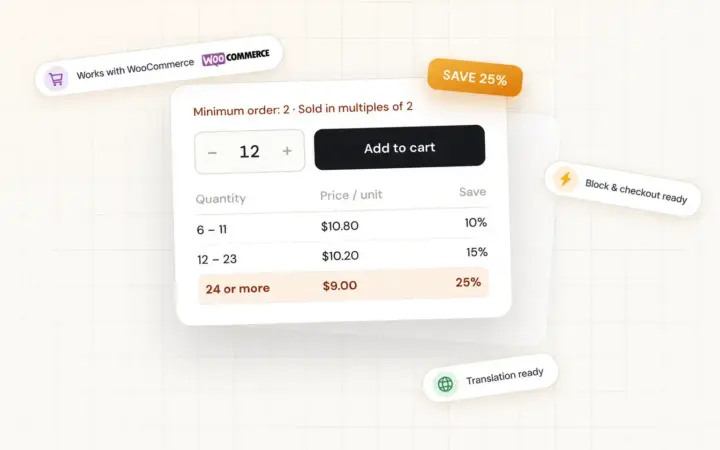
Min / max / step quantity rules and tiered pricing for WooCommerce — enforced on every add-to-cart path, with guidance shoppers actually understand.
FAQ
Why does my WooCommerce minimum quantity work on the product page but not the shop page?
The shop and category grid Add to cart button uses a different code path (an AJAX request to admin-ajax.php) than the single product form. Most quantity plugins only validate the form’s submission, often because their check is guarded by is_product(), which doesn’t reliably return true during that AJAX call — so the grid request skips the check entirely.
Do I need a plugin to fix minimum quantity on the shop grid?
Not strictly you can filter woocommerce_loop_add_to_cart_link yourself to route restricted products to the product page instead of adding directly from the grid. That’s a workaround, though; it doesn’t cover the cart page quantity field or the block cart, so most stores end up wanting a plugin that validates all four paths consistently.
Does this affect variable products too?
Rarely. WooCommerce already sends variable products to the product page from the shop grid, since a variation has to be selected before anything can be added to the cart. The grid-button gap is almost entirely a simple-product issue.
Will disabling AJAX add-to-cart on archive pages fix it?
No. Turning that setting off changes the grid button into a link that adds via a page reload instead of AJAX, but it still adds quantity 1 directly with no quantity field shown. The validation gap is the same either way — you’ve just changed how the request is delivered, not whether anything checks it.
Does the WooCommerce block cart need separate settings for quantity rules?
It needs separate code, not settings. The block-based Cart and Checkout run on the Store API (a REST endpoint) instead of the classic PHP add-to-cart handlers, so hooks like woocommerce_add_to_cart_validation don’t fire there at all — a plugin has to register against the Store API’s own extension points to catch it.